Google Business Profile for Pest Control: 30-Point Checklist
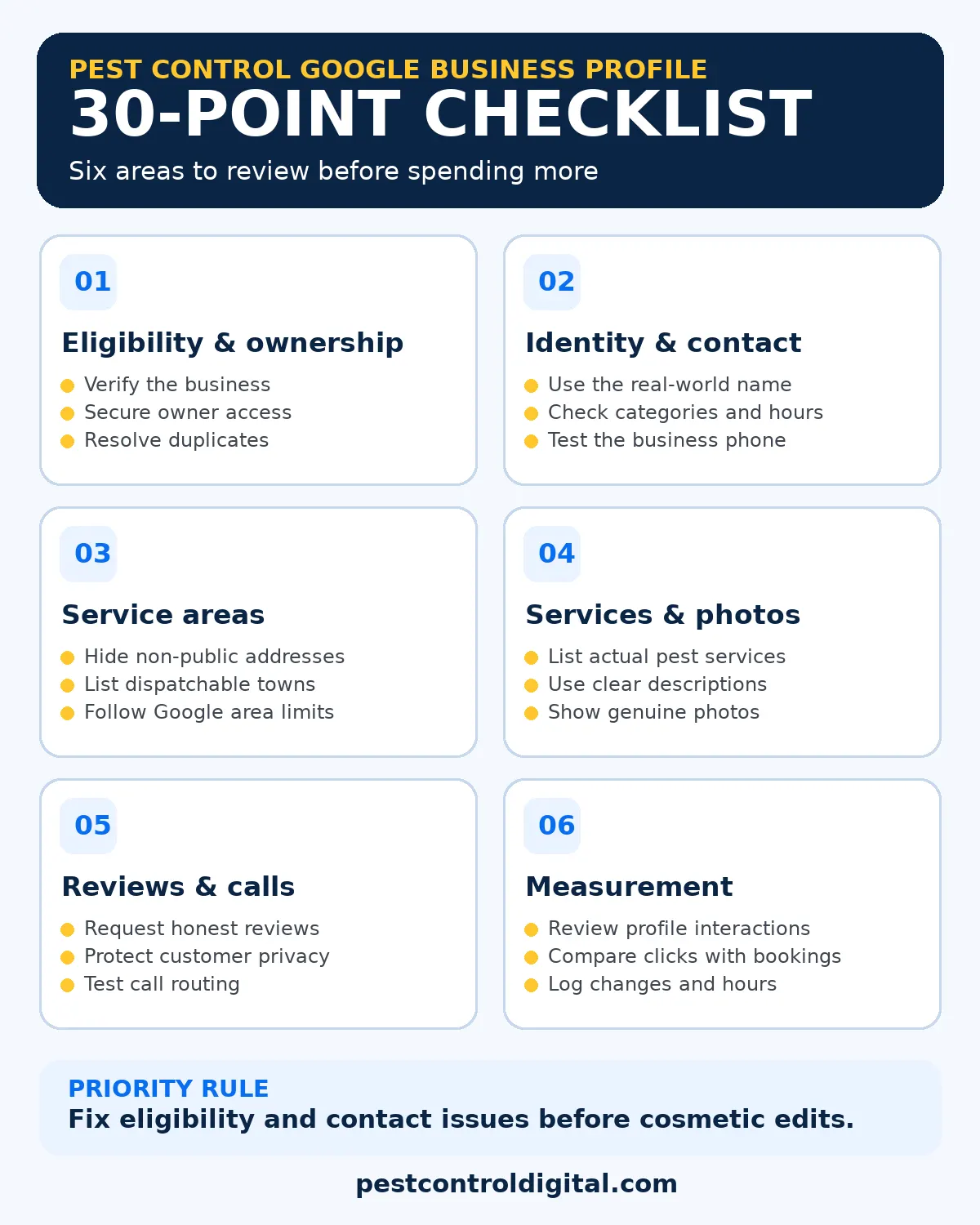
A pest control Google Business Profile works best when it accurately reflects your real company, dispatch area, services, and customer contact process. This 30-point optimization checklist prioritizes policy compliance first, then useful information, customer trust, and measurement. It will not guarantee a Maps position, but it gives owners a practical way to identify and fix gaps before spending more on promotion.


Key takeaways
- Fix verification, ownership, and address eligibility before cosmetic changes.
- Describe only services and locations your team can actually support.
- Use real photos and genuine, non-incentivized customer reviews.
- Track answered calls and booked inspections, not just profile clicks.
- Review the 30 checks by risk and business impact.
Start with eligibility and account control
A pest control Google Business Profile should describe a real, eligible business, not a lead-generation address. First, confirm the profile is verified and that the owner controls it. Agencies can be managers without holding the only owner login. Record who can approve and make edits.
Check whether the business visits customers, welcomes customers at a staffed location, or does both. A technician who drives from a home office normally operates as a service-area business, so the public address should be hidden. A staffed, signed storefront that genuinely receives customers can show its address. Google does not allow virtual offices used only to create extra listings.
Search Maps for duplicate profiles. Resolve old listings through Google instead of creating more profiles to target towns.
Keep your business name, category, and hours accurate
Use the legal or commonly used real-world business name that customers see on invoices, vehicles, signage, and the website. Adding a city, “best exterminator,” or a service keyword solely to influence ranking can violate Google’s naming policy. Put location and service details in their proper fields instead.
Choose the most accurate primary category available in the Business Profile editor. For a general extermination business, review whether “Pest control service” describes the core work. Add secondary categories only when they describe actual services, not because competing listings use them. Categories can vary by market and interface, so confirm the available choices before editing.
Check the primary phone number, website destination, regular hours, and holiday hours. If an emergency line is staffed overnight, describe its real availability; do not label the business open all night if nobody answers. Test the call button on a phone and verify the website link reaches a useful page. Pest control website design should support the same customer promise shown in the profile.
Set service areas to match real dispatch routes
Service areas should represent where technicians actually travel, not every city an owner hopes to rank in. Google permits up to 20 service areas selected by city, postal code, or other supported area, rather than a custom distance radius. Its general guidance says the overall boundary should not extend much beyond about two hours of driving from the business base, with exceptions in some circumstances.
Build a dispatch map before editing the profile. Separate core routes, occasional routes, and places your team does not serve. An Orlando-area company might serve Winter Park but decline distant counties. This is illustrative, not an actual coverage claim.
Remove areas that routinely generate rejected inquiries. If you operate multiple genuinely staffed locations, assess each location’s eligibility separately; do not create a listing for a rented mailbox or a technician’s occasional parking spot. For the wider strategy, see how pest control companies appear on Google Maps.
Describe actual pest services and customer expectations
A complete service list helps a homeowner understand whether you handle the problem they have. Start with services you currently sell: general pest treatments, termite inspections, rodent control, mosquito programs, bed bug work, or commercial service where applicable. Do not list treatments you are not licensed, equipped, or insured to provide.
Use plain language. “Rodent inspection and exclusion” is clearer than a vague promise to eliminate every infestation. A service description can explain whether an initial visit includes identification, inspection, a written plan, or a quote. Avoid specific chemical, safety, or guarantee claims unless the business can substantiate them and the claim complies with applicable regulations.
Align the profile’s services with corresponding website pages. A homeowner who clicks for termite work should land on relevant termite information, not a generic homepage with no mention of inspections. Use citation management to help keep the public business details consistent on legitimate directories, but do not mistake directory volume for a promised ranking formula.
Make descriptions and photos useful, not promotional clutter
Write a concise business description explaining who you serve, what types of pest problems you handle, and what makes the process clear for customers. Do not put links, keyword lists, sales promotions, or unsupported superlatives into the description. The website is the better place for a detailed offer, service explanation, or pricing discussion.
Use real photographs of branded vehicles, technicians at work with permission, equipment, and a genuine office if one exists. Avoid showing customers, children, property details, or sensitive pest-treatment information without appropriate permission. Google recommends clear, well-lit images that represent reality rather than heavily altered images. A stock-style graphic can support a blog post, but it should not be passed off as a photograph of your staff or completed jobs.
Review the cover image, logo, and recent uploads on mobile. Remove outdated media where possible and check customer uploads for policy concerns.
Ask for honest reviews and answer with care
Reviews help people assess reliability, but a review campaign must be fair. Ask customers for genuine feedback after a real interaction, using the review link or QR code Google provides. Do not offer discounts, free treatments, or gifts in exchange for reviews. Avoid asking only happy customers while systematically excluding everyone else.
Respond to reviews in a calm, useful tone. Thank customers without repeating the same scripted paragraph every time. When a review raises a problem, invite the person to continue privately and avoid revealing their address, health details, service records, or other personal information in public replies. Google prohibits incentives for changing or removing reviews as well.
Create a simple office workflow: the team confirms that a visit happened, sends an optional review request, and flags incoming feedback for a responsible manager. This process should be part of customer care, not a pressure tactic. For a fuller workflow, review pest control reputation marketing.
Connect the profile to a useful website and call process
The profile should point to a mobile-friendly website that clearly names the company, service area, phone number, and next step. A visitor asking about bed bugs should be able to find bed bug information quickly. A visitor with an urgent rodent concern should not have to scroll through unrelated seasonal promotions to find the phone number.
Test the complete path from Maps to call or form. Can a customer reach the correct office? Does the form ask only what dispatch needs? Are business hours consistent? If you use call tracking, preserve an accurate main number and follow Google’s telephone rules. Never swap in a number that routes to an unrelated call center or obscures the actual business.
Use conversion tracking to distinguish clicks from answered calls and booked inspections. A click is an interaction, not proof of a sale. You can also explore the free pest control marketing tools for a broader website and visibility review.
Measure performance and maintain the listing
Google Business Profile Performance can show search terms, profile views, call-button clicks, website clicks, and other applicable interactions for verified profiles. It does not tell you whether every call was answered or whether a customer booked treatment. Compare those figures with your phone system, form inbox, and scheduling records.
Review the profile after changes in staffing, service availability, office location, and seasonal hours. Seasonal promotions must reflect actual services and dispatch coverage. Keep a simple change log noting who edited a field, what changed, and when it was checked.
Google says local results depend mainly on relevance, distance, and prominence. You can improve the accuracy and usefulness of your information; you cannot pay Google to guarantee a particular Maps position. Review your website’s pest control SEO fundamentals alongside profile maintenance, rather than treating the profile as an isolated channel.
Pest control Google Business Profile: 30-point priority checklist
Audit each item below. Critical means policy, eligibility, or contact risk; high means important accuracy work; medium means ongoing maintenance. These editorial priorities are not Google ranking weights.
| # | Check | Priority |
|---|---|---|
| 1 | Confirm business eligibility | Critical |
| 2 | Verify the profile | Critical |
| 3 | Confirm primary owner access | Critical |
| 4 | Resolve duplicate listings | High |
| 5 | Use the real-world business name | Critical |
| 6 | Choose an accurate primary category | High |
| 7 | Add only relevant secondary categories | Medium |
| 8 | Check phone, website, and hours | Critical |
| 9 | Hide address if customers are not served there | Critical |
| 10 | List only dispatchable service areas | High |
| 11 | Stay within Google area limits | High |
| 12 | Validate each separate staffed location | Critical |
| 13 | List actual pest services offered | High |
| 14 | Use clear service descriptions | Medium |
| 15 | Remove unsupported claims | Critical |
| 16 | Match services to website content | High |
| 17 | Write an accurate business description | High |
| 18 | Use genuine business photos | Medium |
| 19 | Review cover image and logo | Medium |
| 20 | Check outdated or customer-added media | Medium |
| 21 | Request reviews from real customers | High |
| 22 | Avoid incentives and review gating | Critical |
| 23 | Reply to reviews professionally | High |
| 24 | Protect customer privacy in replies | Critical |
| 25 | Test the website link on mobile | High |
| 26 | Test the call button and routing | Critical |
| 27 | Track qualified calls and bookings separately | High |
| 28 | Review applicable profile metrics | Medium |
| 29 | Maintain special hours and service changes | High |
| 30 | Log edits and assign an owner | Medium |
Fix critical items first, then high-priority mismatches. Assign maintenance checks to an owner and keep a dated change log.
Choose the next action using a dispatch-first decision table
Choose fixes by customer impact, not by how easy a profile field is to edit. These are operational examples, not ranking factors or lead forecasts.
| Observed issue | First action | How to confirm |
|---|---|---|
| Calls go to voicemail during advertised hours | Fix routing or correct hours | Test the call and answer log |
| Requests arrive from unserved towns | Review dispatch map and service areas | Check accepted dispatch routes |
| Customers ask for services you no longer offer | Update service list and linked pages | Check later inquiries |
| Profile shows a home address without customer visits | Correct the business type and hide address | Check the public listing |
| Profile shows clicks but few bookings | Audit call handling and website forms | Compare clicks with bookings |
If mosquito-control calls arrive from outside your routes, clarify coverage before expanding the listing.
How Pest Control Digital helps
Pest Control Digital can review profile eligibility, business details, service-area accuracy, website alignment, and inquiry tracking as one connected workflow. Our Google Maps SEO for pest control service focuses on practical corrections and transparent measurement, not guaranteed placements. Start with a review of the listing and the way your team handles calls.
Frequently asked questions
Does a service-area business need to display its address?
No. If customers are not received at your business address, Google instructs you to hide it. A genuinely staffed, signed location welcoming customers may qualify as a storefront or hybrid business.
Will adding more cities make my pest control company rank there?
No. Service areas describe coverage; they do not ensure rankings. Google also considers relevance, distance, and prominence. Never invent office locations to target other towns.
Can I put “best exterminator” or a city in my profile name?
Only if they are genuinely part of your real-world business name. Adding marketing keywords for rankings can violate Google policy.
How many service areas can I enter?
Google currently permits up to 20 areas. Its general guidance is a boundary of about two hours of driving from your base, with possible exceptions.
Can I offer a discount for a five-star review?
No. Google prohibits rewards for posting, changing, or removing reviews. Request honest feedback from real customers without incentives.
Do Google Business Profile call clicks equal booked jobs?
No. Google reports call-button clicks, not completed treatments. Compare clicks with answered calls, qualified inquiries, bookings, and completed jobs.
Once your Business Profile is accurate, use the AI search visibility guide for pest control to understand how that information fits alongside crawlable service pages and customer inquiries.
Want a practical profile and lead-flow review?
Find out which issues to fix first across your listing, website, and incoming calls.
Sources and further reading
Official Google Help sources reviewed November 2, 2026: